What is a snap?
A snap in Cargosnap is basically a photo. With our mobile app you can take a single 'Snap' or you can take a series of photos with the 'Serial snapper' option.
How to take a snap
1) Open the Cargosnap app on your device
Your device should already be activated.
2) First, fill in the file reference at the top of the screen
This can be done by scanning a code or entering it manually using the keyboard.
Select your top (reference widget)
To learn more about the available tools for setting the reference, click here.
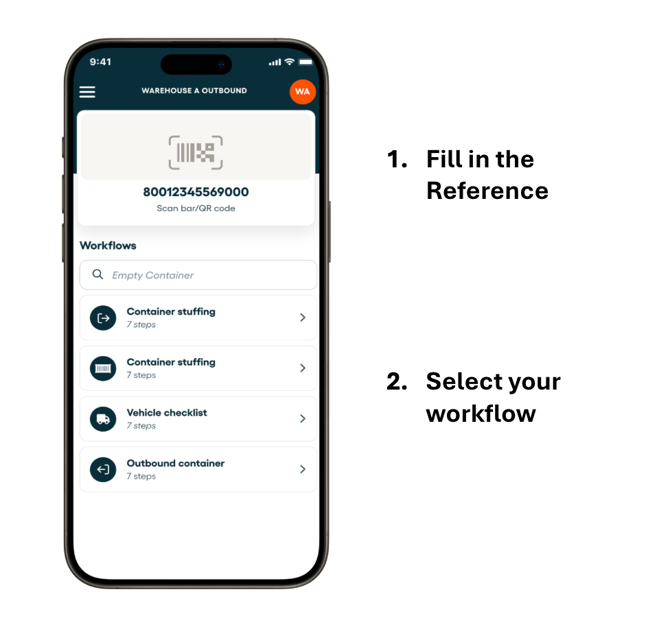
3) Select below in the list of workflows the workflow you want to execute.
Important: the workflow you select should have the 'Snap' or 'Serial snapper' step included. More information on how to build a workflow later in this article.
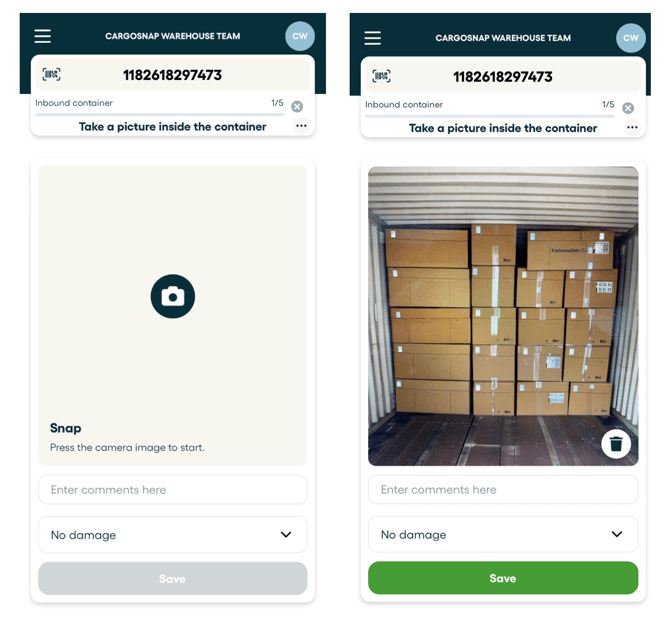
Once you selected the workflow, simply follow the steps until you arrive at the 'Snap' step. Now click the camera icon in the center of your screen, point it at the object and take the snap.
Note: The trash icon on the right bottom after a snap is taken allows you to delete the snap.
More info in this article: How to delete a snap
In case it's a 'Serial snapper', it will look like this:
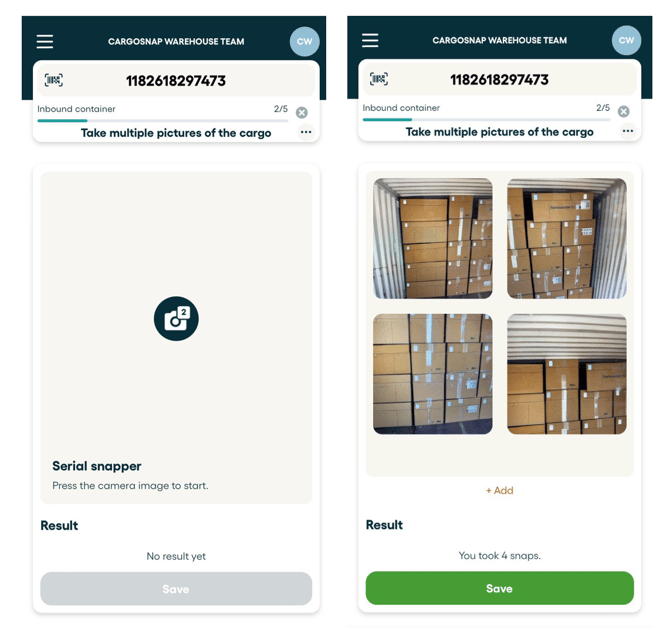
Be aware: It's possible to manage your serial snaps on the platform only (including the option to delete a snap). The serial snap feature in the mobile app does not provide the delete option as the snaps are send directly to the platform.
More info in this article: How to delete a snap
Your snaps are now uploaded to the Platform!
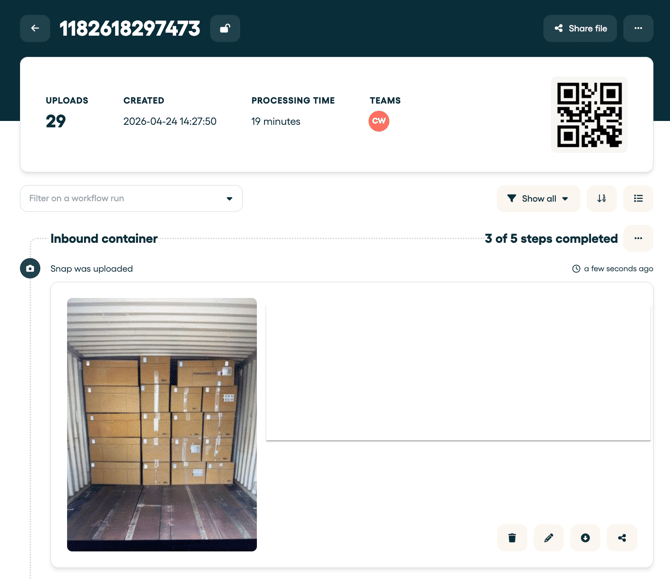
On the dashboard you will see the various cards with data appearing, and in the “Files” page (click Files on your top menu), you will see an overview of the various inspections that took place. Once you open a file, your snap will look like this:
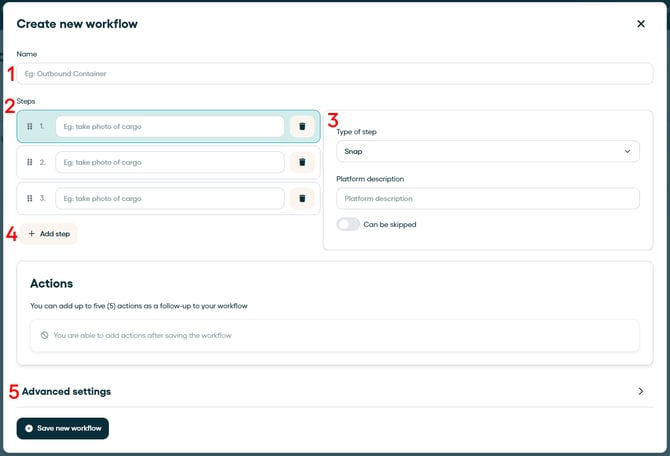
Include the 'Snap' or 'Serial snapper' in your workflow
The workflow you select should have the 'Snap' or 'Serial snapper' step included. More information on how to build a workflow later in this article.