
Kickstart with the Template Library
With Workflows in Cargosnap you standardize, structure, and speed up your logistics inspections. Instead of starting from scratch each time, workflow templates guide operators through a clear, step-by-step process, ensuring consistency, accuracy, and compliance across all inspections.
Available workflow categories include:
-
Containers
-
Trucks & Trailers
-
Warehousing
-
Safety
Each template provides a structured inspection flow that you can use as-is or customize to your operational needs.
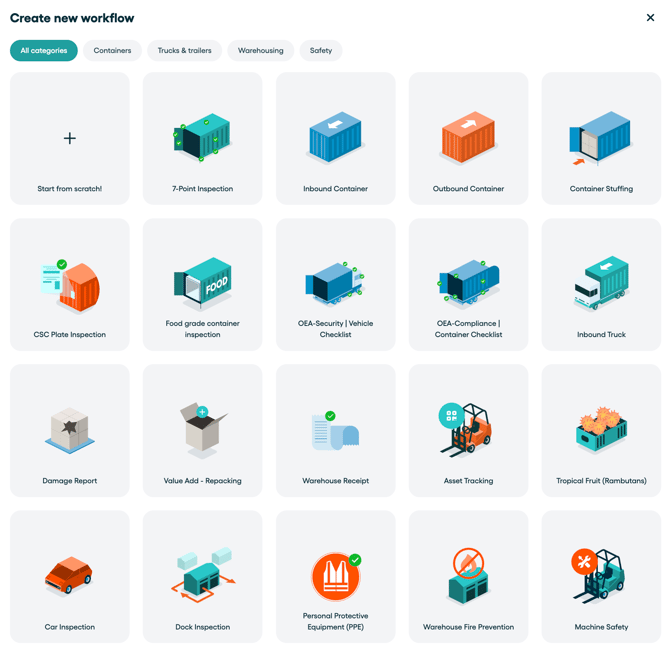
How to use a workflow template
Follow these steps to get started:
-
Go to the Workflows section in Cargosnap
-
Click Create new workflow
-
Select a template from one of the available categories.
Note: Once you select a pre-made template, it will directly be saved in your account and made available to all Teams and Devices. You can still customize your workflows and change the advanced Team settings afterwards.
Customize workflows to fit your needs
Need adjustments? No problem. Every workflow is fully customizable:
-
Add new steps
-
Remove unnecessary steps
-
Modify existing steps to match your processes
This flexibility ensures that each workflow fits your specific inspection requirements while maintaining a standardized structure.
💡 Tip: For detailed guidance on creating and customizing workflows, visit the page Build your Workflows.