Counters, language, a world map, and more and more. You can adjust the Cargosnap dashboard to show in the way you want to work!
We all have our preferences. Let's see what configuration options Cargosnap offers.
First of all: open your Profile by clicking your Company Name in the right upper corner of the Cargosnap web app. This will take you directly to “Profile”, but before we go into that, let's take a step back. On the left-hand side, you will see the various personal settings:

Let's handle them one by one!
Profile
Password: Change your password here. Note that you cannot update your email, but your administrator can.
Language: Select the language of your Cargosnap web app.
Team filters: Does your company have multiple locations, but you are really only interested in your own or just a few? Filter the Cargosnap platform for only those sites that interest you.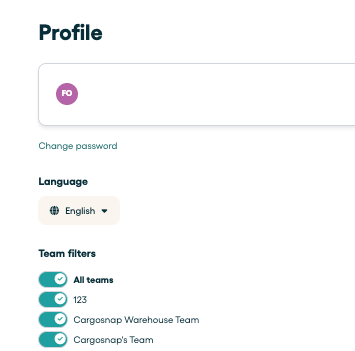
Workspace
In the workspace tab, you have the option to customize your dashboard. This can be done using two settings:
Counters: The counters give you a quick idea of what's up recently (or another period you may set the filter for). Click "show counters" you can enable/disable the counter section in the dashboard. The "Add counter" button allows you to add/remove counters to your own needs.
You may set up to 5 counters:

If you then click the Cargosnap logo in the top menu, they will look like this:

World Map: It shows you where the most recent images were taken on a world map. This can be convenient if locations are very important to you. The map will auto-zoom to the images recently taken, but you can also zoom in to certain areas.

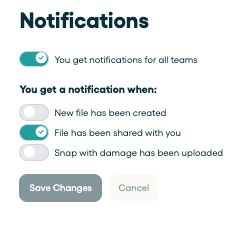
Notifications
Get notified of the things that matter to you, for example, a new file uploaded or damage reported. You can also set up the rules for us to email you.