
When repeating steps in a workflow is valuable
It could be that you have a 6-step workflow, but you would like to repeat step 4-6.
Example: Imagine that you want to inspect certain items in your shipment and the number of items differs every time.
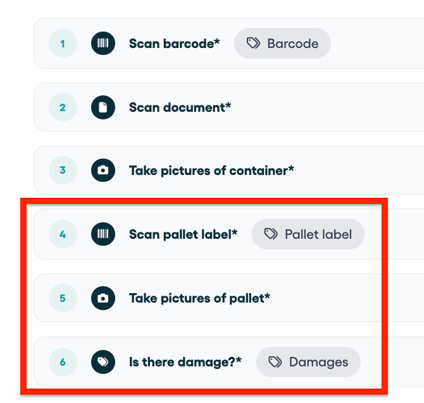
There are multiple ways to build a repetitive process in your mobile app:
-
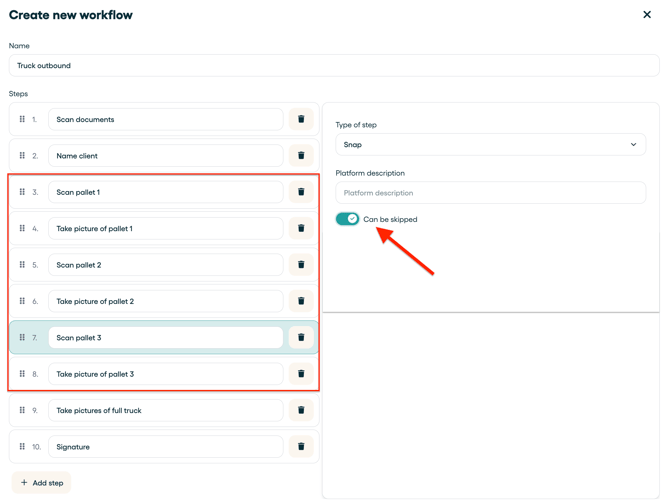
Duplicate (skippable) steps in your workflow
- Break up your workflow in separate workflows
1) Duplicate (skippable) steps in your workflow
You can duplicate your steps in your workflow and make certain steps skippable.
2) Break up your workflow in separate workflows
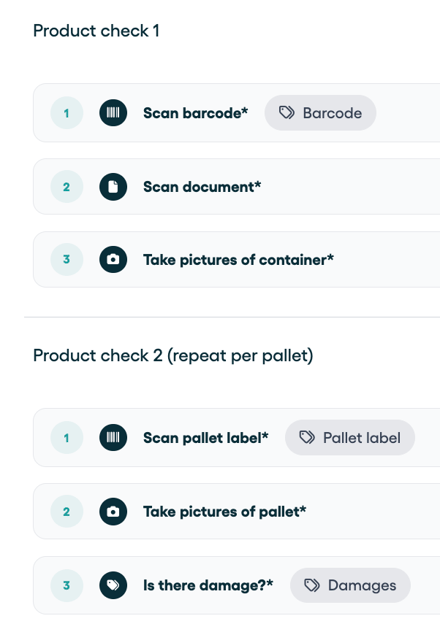
When you find yourself in the above situation, we recommend to break up your workflow in two or more smaller workflows.
In below example you can see that we made 2 separate workflows, where the second one is easy to repeat for every single pallet that you are inspecting:
Tip: Make sure you have the below setting disabled in your 'advanced workflow settings'.
Every time you finish this particular workflow, the reference will stay visible on top of your mobile app.
Just one click on the workflow and you can repeat the process.
