
How to Access Reload Settings
-
Open the mobile app.
-
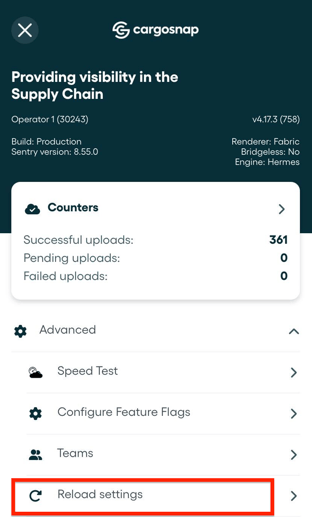
Tap the menu icon ☰ in the top corner of your screen.
-
Select Advanced.
-
Tap Reload settings.
What Reload Settings Does
When you tap Reload settings, the app will:
-
Refresh workflows and settings so you are using the latest available versions.
-
Push pending uploads that have not yet been sent.
-
Retry failed uploads without waiting for an automatic sync.
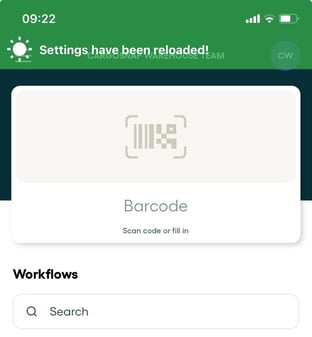
Once you've pressed the 'Reload settings button, you will see the below message in green:
Tip: More information on retrying your pending uploads here in this article.