💡Note: only LicenseAdmins and SuperAdmins have the permission to manage workflows.
-
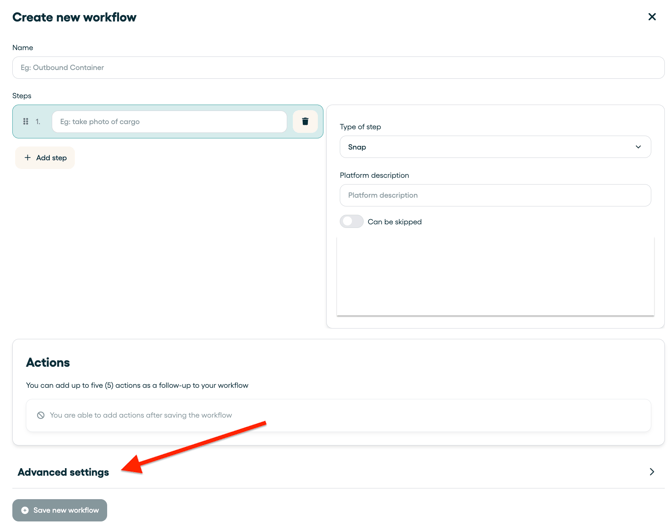
In the top menu bar, go to workflows and enter the workflow you want to make available for a specific Team.
-
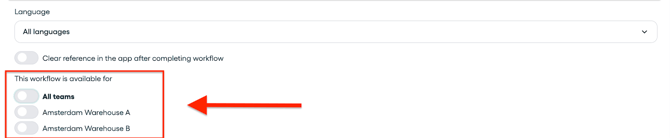
Scroll down to Advanced settings. Here you will see the option to enable the workflow for one, multiple or all Teams.
-
Select those Teams you want to make the workflow available for.
Don't forget to press Save Changes