
☝️ Note: to add additional users, you need to be either:
-
A "Manager" of the team of the user you want to remove;
-
Or an Admin ("LicenseAdmin" or "SuperAdmin")
Read more about roles here.
Adding another user to Cargosnap is a matter of knowing a name and e-mail address, then consider what role you would like to give the user.
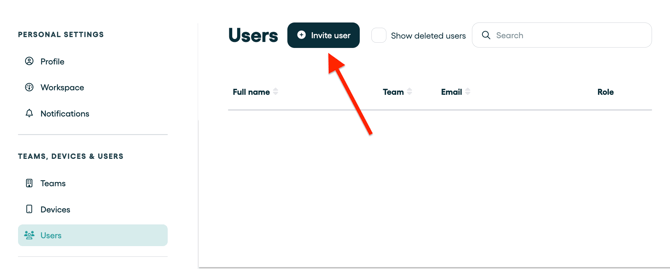
- Go to 'Settings'
- Go to 'Teams, Devices, Users'
- Go to 'Users'
- Select 'Invite user':
With all set, just fill in below fields. We will take care of the rest!
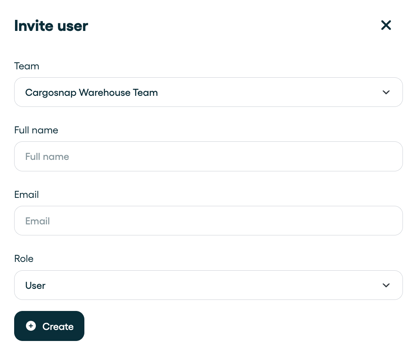
We will send an e-mail to the new user and help them set up their own account, password, and preferences. Easy!