
Why use this feature?
Enabling this option ensures that:
- Each workflow starts with a clean reference
- Users are prompted to enter or scan a new reference
- Errors caused by duplicate or outdated references are reduced
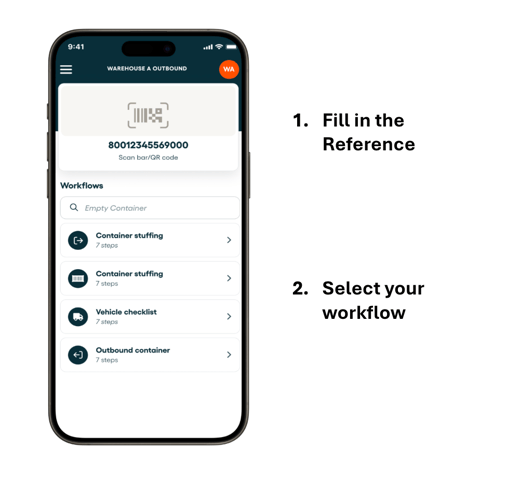
💡 More information about your Reference in the Top Widget in this article:
How to enable “Clear reference”
Follow these steps:
- Go to web app (platform) and log in
- Go to Workflows
- Select the workflow you want to edit
- Tap Edit workflow
- Open Advanced Settings
- Enable “Clear reference in the app after completing a workflow”
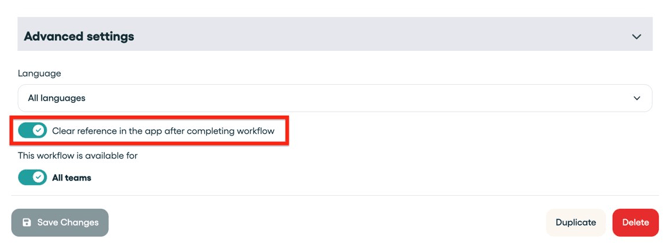
Note: This setting is by default disabled, because having the same reference is often used once using multiple workflows in one file.