💡Note: This functionality requires the role "License Admin". This is by default the person who originally started the subscription with us, but such a role may also be (re-)assiged to other registered users. More information in this article.
In case the only License Admin is not longer working in your organization, please reach out to our support team and request a License Administrator Reassignment.
How to change your billing details?
It could be that over time you need to change your billing details, such as the company name, company address or your invoice emails. Follow the below steps:
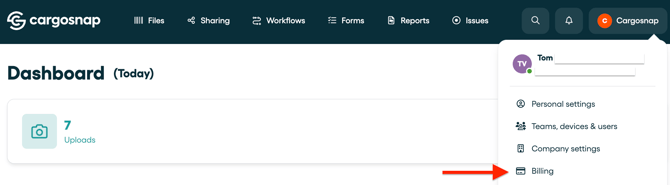
- Log in to the platform
- Go to the top right of your screen and click on your company name
- Click 'Billing' (only possible for 'License Admin' role)
- Click 'Manage subscriptions'
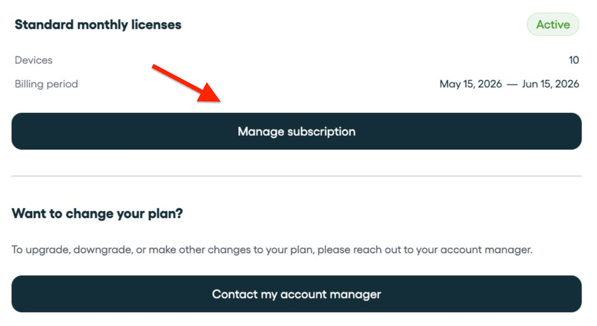
💡 Upgrade/ downgrade devices: Would you like to change your plan (number of devices)? Click the button 'Contact my account manager' or reach out to the support team.
Overview of your billing details
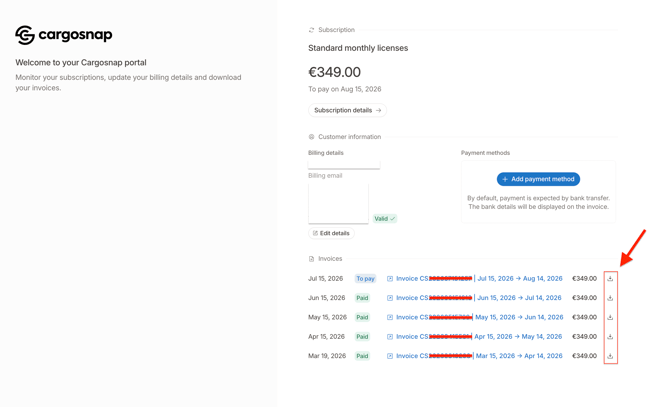
You will now see an overview of your current billing details. You have two options:
- Edit details (for your billing details)
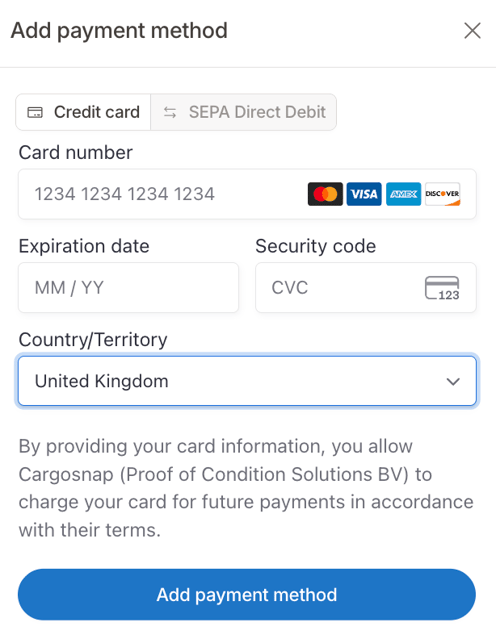
- Add payment method (bank transfer, credit card, SEPA direct debit)
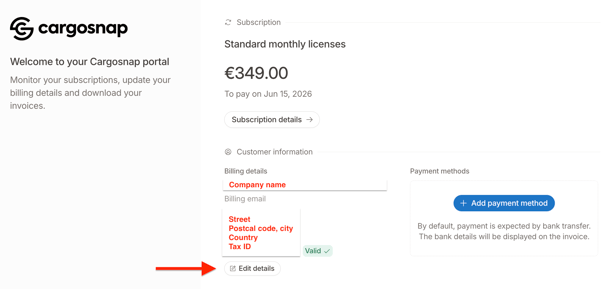
Edit your billing details
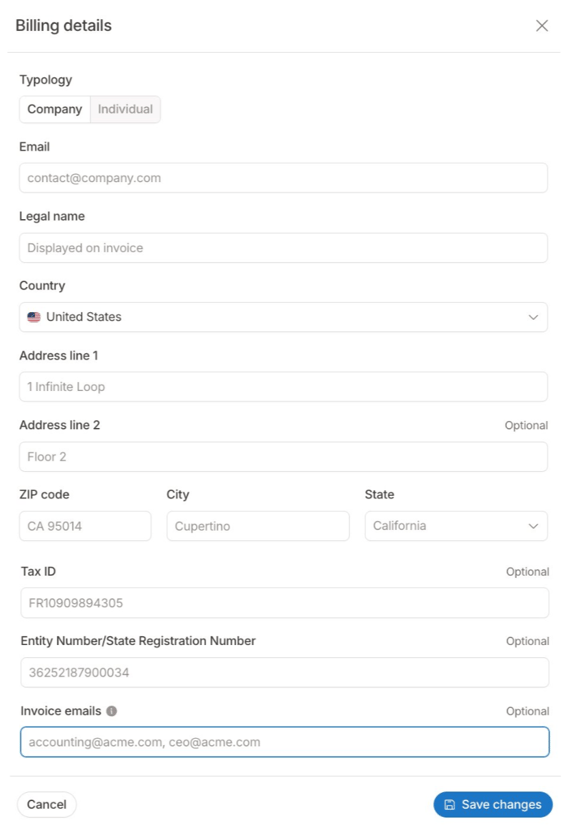
You will now be able to edit or enter your billing details. On this page you can change the following information:
Email, Legal name, Country, Address, Zip code, City, State (Optional), Tax ID (optional), Entity number/State Registration Number, Invoice Emails.
-
Now click 'Save' and you billing details are up to date.
💡 Note:
-
Invoice emails: Invoices and payment receipts only will be sent to this email. You can specify multiple emails by separating them with a comma.
- PO Number: Please reach out to support@cargosnap.com if you want to have your PO number added to your invoice.
Add Payment Methods
You can add different payment methods:
- Bank Transfer (default)
- Credit Card
- SEPA Direct Debit
View and download invoices
You will now see an overview of your current billing details. Scroll down and below you will find your invoices. On the right side you see the download icon (arrow down). Once you click on it, you will download your invoice in a PDF document.
More information on invoices, see this article.
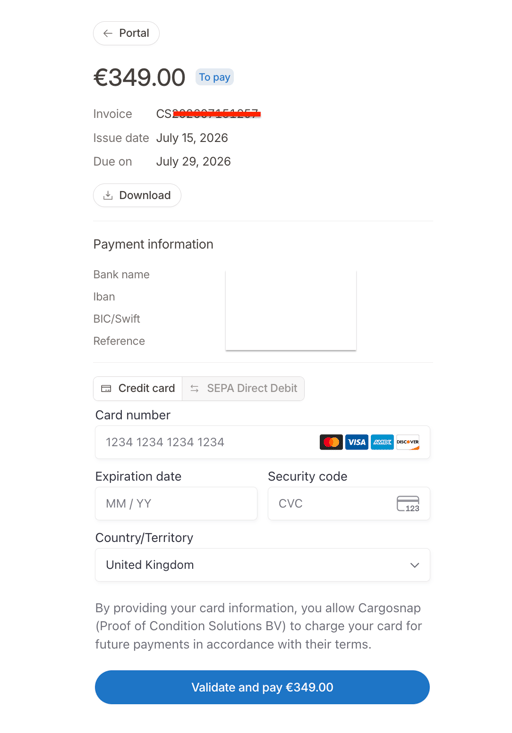
Pay your open invoices from the billing portal
Once you click on the invoice itself, a new window opens where you can directly pay your invoice with Credit card or SEPA Direct Debit: