💡Note: This functionality requires the role "License Admin". This is by default the person who originally started the subscription with us, but such a role may also be (re-)assiged to other registered users. More information in this article.
In case the only License Admin is not longer working in your organization, please reach out to our support team and request a License Administrator Reassignment.
How to change your billing details?
It could be that over time you need to change your billing details, such as the company name, company address or your invoice emails. Follow the below steps:
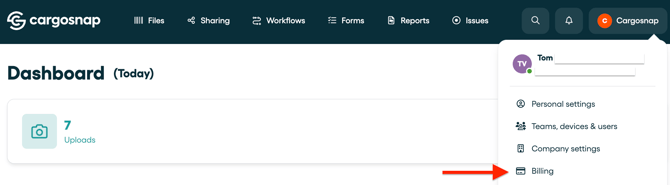
- Log in to the platform
- Go to the top right of your screen and click on your company name
- Click 'Billing' (only possible for 'License Admin' role)
- Click 'Manage subscriptions'
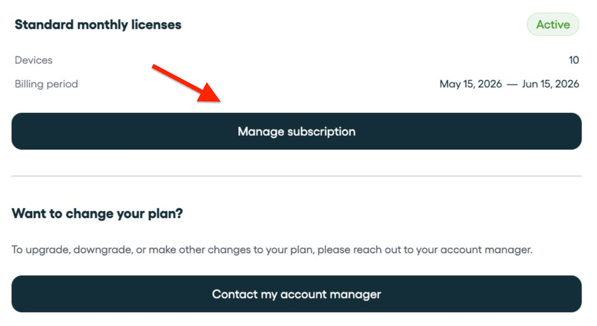
💡 Upgrade/ downgrade devices: Would you like to change your plan (number of devices)? Click the button 'Contact my account manager' or reach out to the support team.
Overview of your billing details
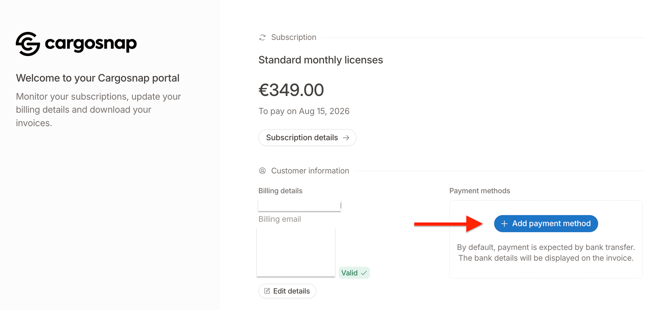
Edit billing details
For your billing details such as your company name, address, invoice emails, click edit details. More information in this article:
Add Payment Methods
You can add different payment methods:
- Credit Card
- SEPA Direct Debit
Select either of these two options and fill in the required information. Now click again add payment method.
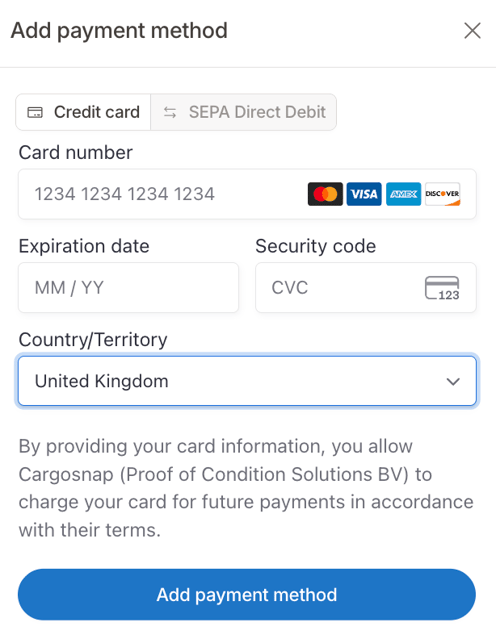
- Click the trash button next to your old payment method to remove it.
- Add your new payment method details.
Pay your open invoices from the billing portal
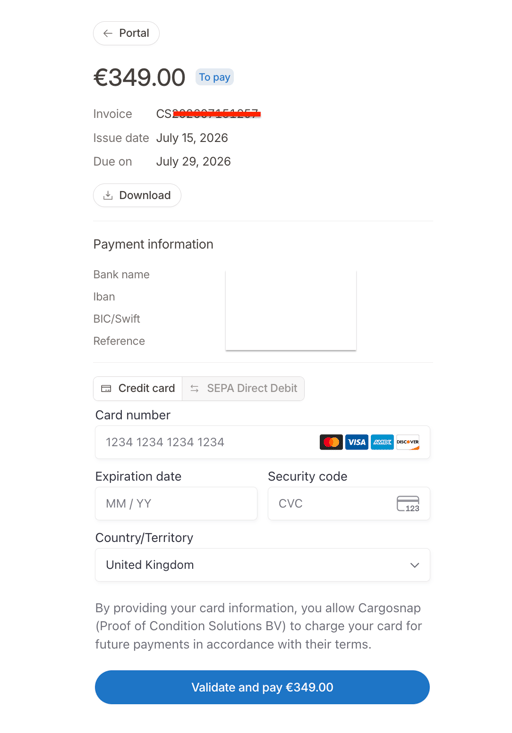
Once you click on the invoice itself, a new window opens where you can directly pay your invoice with Credit card or SEPA Direct Debit: